Six steps before access
123456→ App
All pet setup came before the product.
From the first home screen to clearer navigation, resumable onboarding and reusable mobile components.
PawHealthAI brings pet-care guidance, weekly check-ins, records and reminders into one mobile product. As co-founder and CTO, I own its product design and technical implementation, from Figma flows and prototypes to React Native code and release work.
This case study follows the decisions I made as the product evolved, including what I changed and what I still need to validate.
Registered accounts as of October 2026. I track active usage separately.
Design decisions, working interfaces and the details between them.
I am the sole product designer and technical owner of PawHealthAI. I create the flows and prototypes, implement the mobile and web interfaces, integrate the backend and manage technical release work. That means I work through both the intended experience and the details needed to make it function.
The company is co-founded with Jim. Commercial and partnership work is a shared company effort; this case study focuses on my design and engineering contribution.
My responsibilities span Figma, React Native and Expo, React web experiences, Supabase data and authentication, Firebase functions, AI integration and production debugging. I include backend details here where they explain an interface decision.
An owner may open PawHealthAI with a question, an observation to record or routine care to organise. Those are different tasks. The interface needs to help them choose a next action without making them understand every feature first.
There is also a tension in setup. Pet details make later guidance more relevant, but collecting too much before an owner sees the product creates work before value. I had to decide what belonged before entry, what could happen inside the app and how progress should survive an interruption.
PawHealthAI provides educational guidance and organisation. It does not replace veterinary care or make veterinary diagnoses.
Hierarchy, language and navigation
The first home screen gave several features strong visual emphasis at once. The launch feedback described an overwhelming screen, unclear feature names and difficult navigation. I treated this as an information-hierarchy problem rather than a reason to add another explanation screen.
For the April 2026 redesign, I reorganised the home screen around three main actions, clarified feature names and added labels to navigation. The aim was to make the next action easier to identify while keeping the existing functionality available.
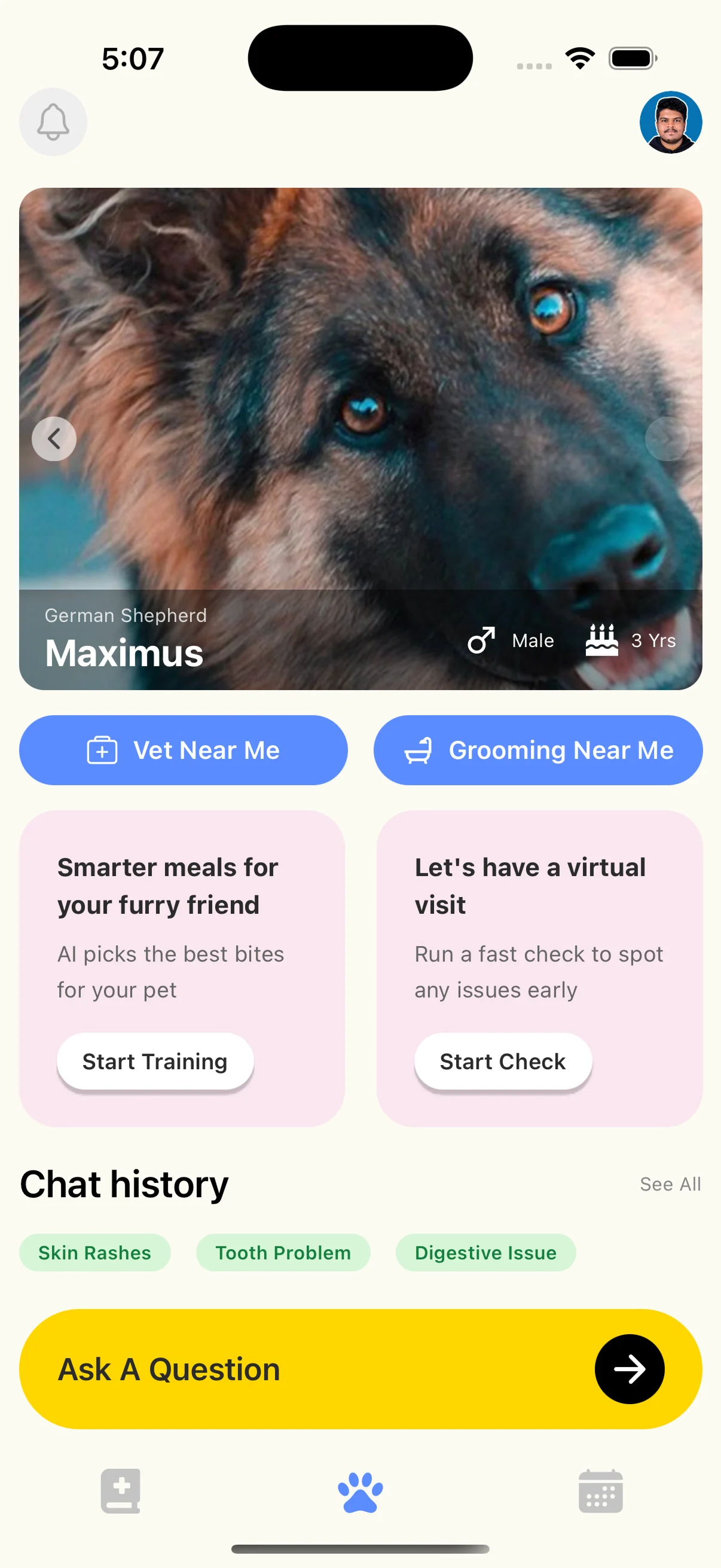
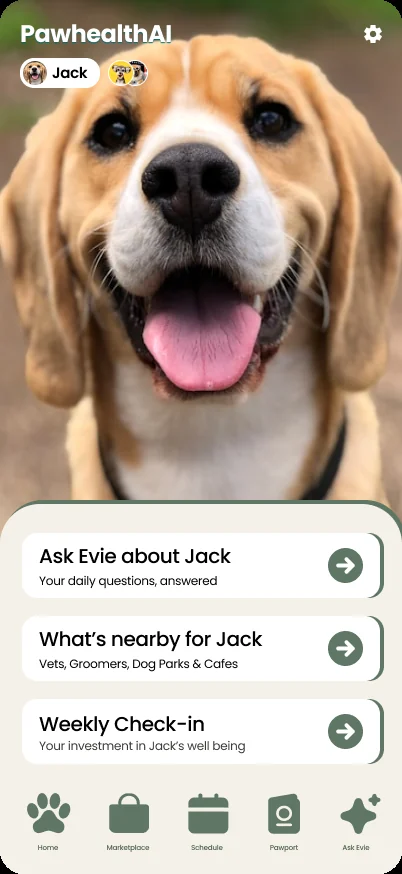
Make the main actions easier to distinguish from supporting information.
Use labels that explain the task rather than requiring owners to learn an internal feature name.
Pair icons with text so recognition does not depend on interpreting a symbol.
Screens from the app before and after the redesign, shown with different sample pets. They illustrate the design change; I have not yet measured its effect on task success.
See the full redesign case study ↗Earlier access, less repeated work
The original onboarding asked for six steps before showing the app. The next version moved app entry after two steps, with four further pages inside the product to gather the context needed for Evie. This changed the timing of the work rather than pretending the information was no longer needed.
The latest implementation adds page-level saving. Each of the four completed pages is saved, and the owner resumes at the first unfinished page. This is intended to reduce repeated work after an interruption.
All pet setup came before the product.
The same context, requested later.
Completed pages saved.
Resume at the first unfinished page.
Page-level saving protects completed pages. It does not imply that every field on an unfinished page has been saved.
This is a deliberate balance between earlier access and useful pet context. I do not yet have validated completion or retention figures that establish which version performs best.
Explore the onboarding decisions and trade-offs ↗Shared patterns across the product
PawHealthAI has a reusable component library with shared design tokens. Repeated patterns such as authentication buttons, record cards and form sheets let me apply the same behaviour across several parts of the app.
The system is still partial. Pawport colours, status palettes, shadows and some spacing are centralised, and font families are configured in Tailwind. Other dimensions, spacing and radii remain hardcoded.
AuthButtonPrimary and secondary variants, with loading and disabled states.
PawportRecordCardConfigurable accents and badges, plus optional thumbnails and text previews.
PawportFormSheetShared inputs, saving and busy states, error feedback and unsaved-change handling.
The next step is to document foundations and state rules consistently, consolidate repeated values and check which Figma components correspond to the implemented library. Reusable code does not by itself establish shared design specifications or complete accessibility coverage.
Recent implementation work includes descriptive accessibility labels and roles, larger touch targets in relevant photo and form actions, modal semantics, and form errors with alert or live-region properties. Pawport save controls also expose saving and disabled states. Disclosure and paywall text received darker secondary text.
These are targeted improvements, not a claim that the whole app is fully accessible. I have not yet completed testing with assistive technology. The changes are live on Android and will follow on iOS.
Examples include 44 × 44 close controls, 48-point photo actions and 52-point save buttons in relevant forms. These describe specific controls, not every target in the app. Numeric sizes alone do not establish successful screen-reader navigation or text scaling. The next checks cover real devices, screen-reader focus order, larger text and interruption/error recovery.
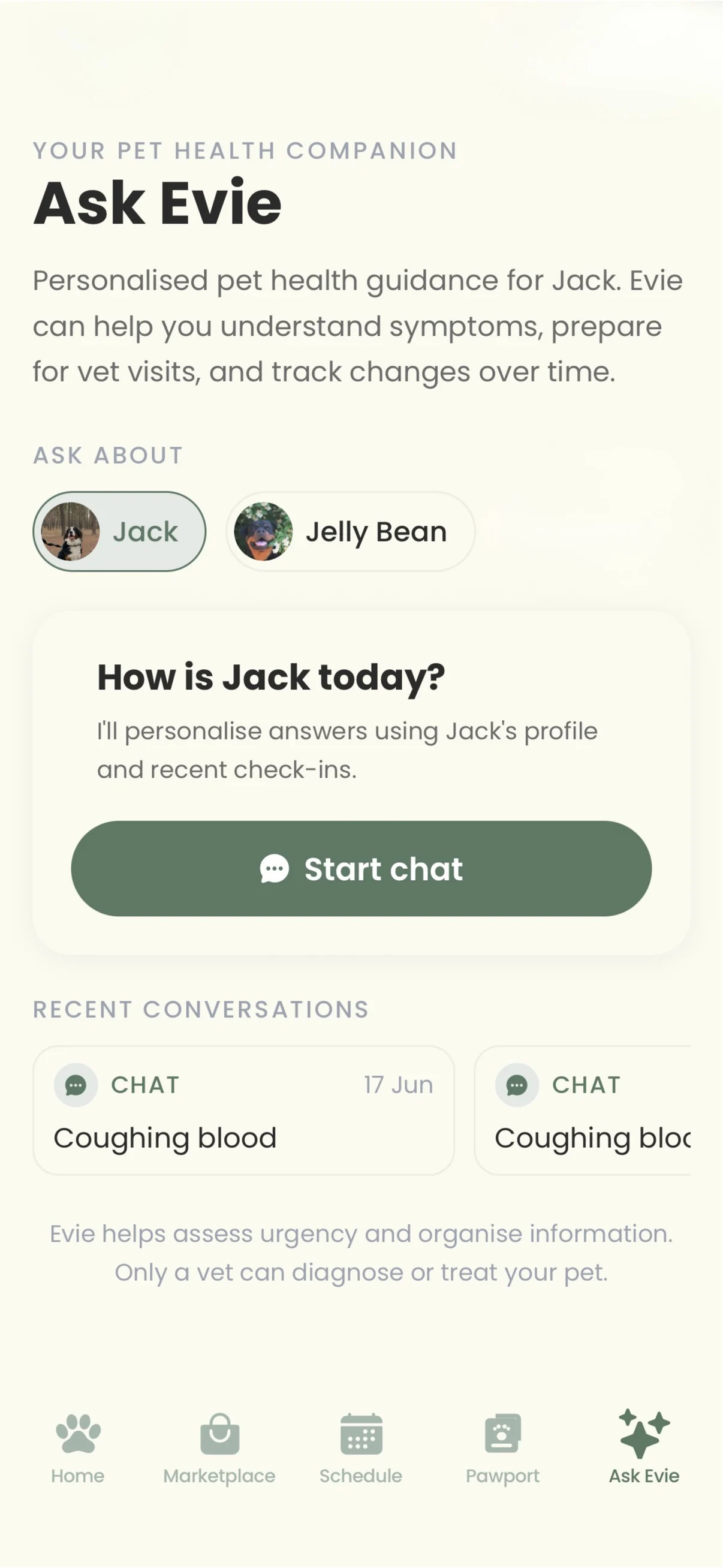
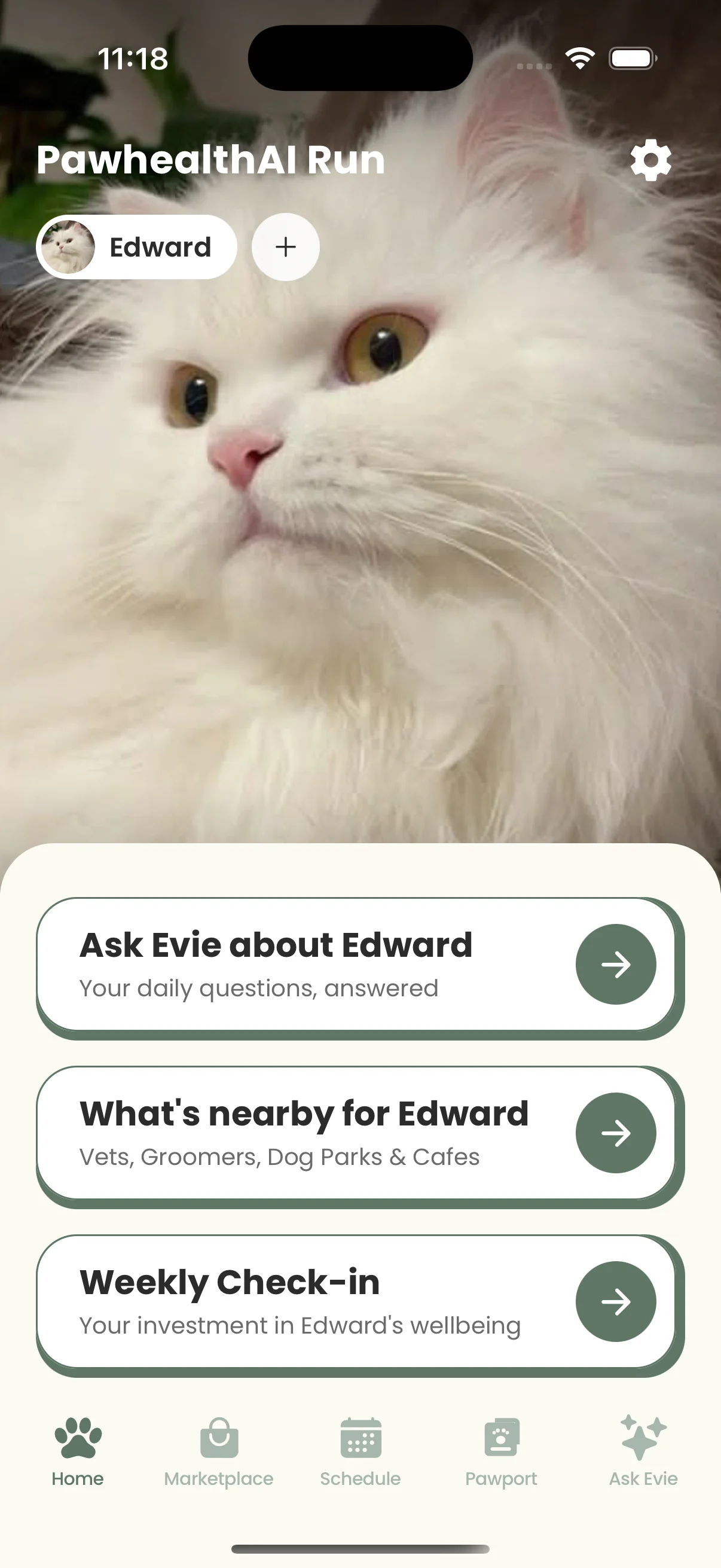
Choose the pet context, start a conversation or return to an earlier question. Educational guidance needs a clear next action without implying a veterinary diagnosis.
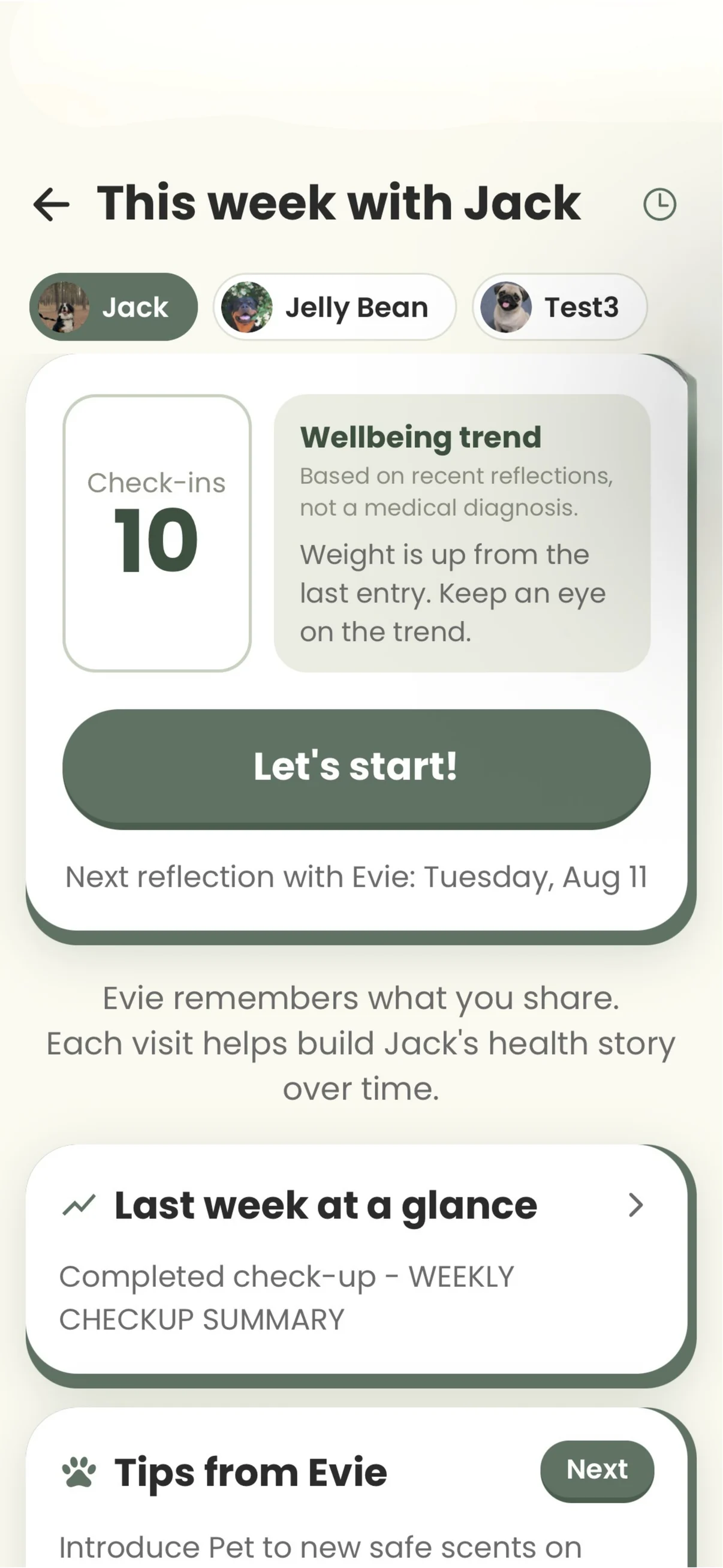
Weekly check-ins give owners a structured way to record changes. The questions and resulting summary need to be useful, beyond completing the flow.
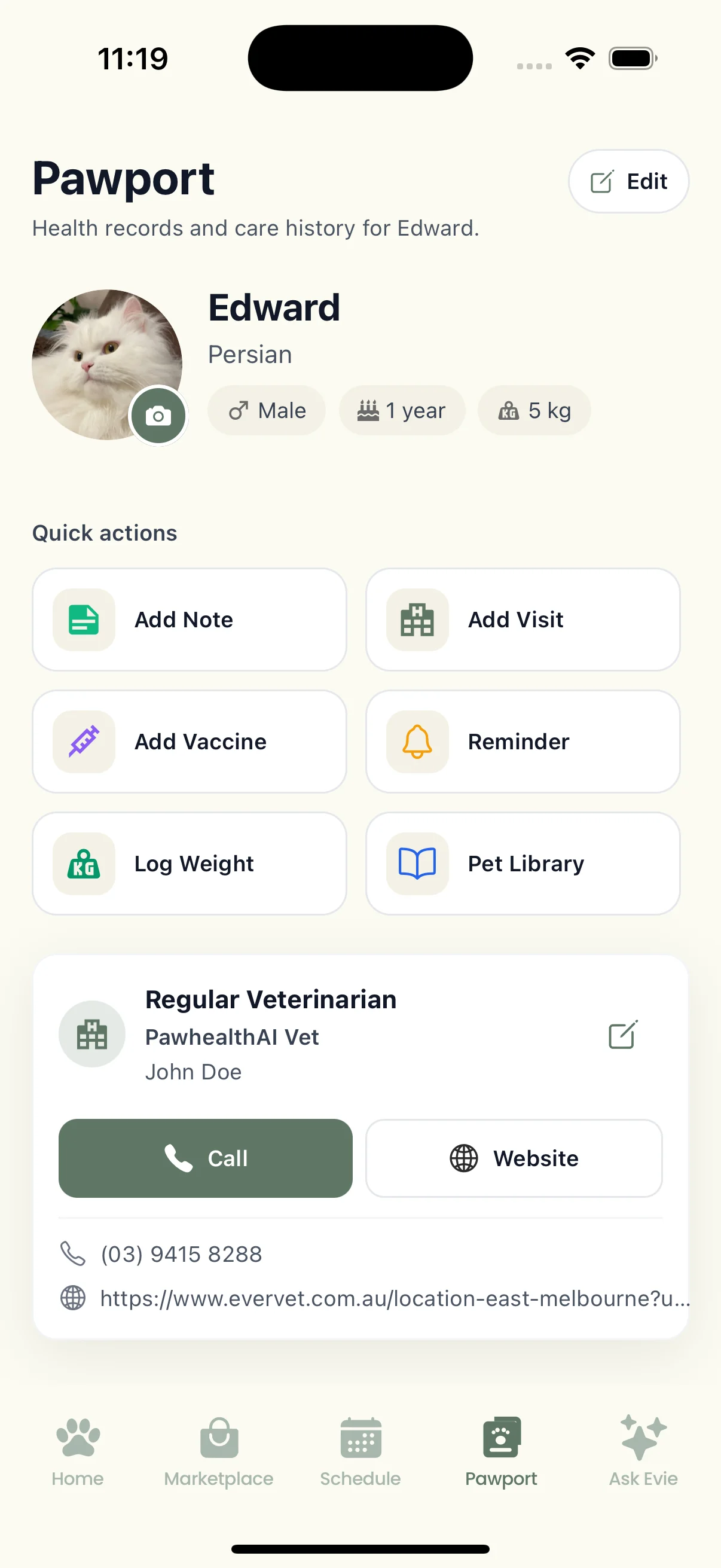
Pawport brings the profile and care history together. I recently added photo notes and refreshed the record forms; these updates are live on Android.
Screens from the current app, shown with sample data.
The product has 189 registered users in the October 2026 snapshot. That establishes an early user base; it does not establish retention or successful onboarding.
The interface changes, component reuse and recent accessibility implementation are tangible work. I cannot yet attribute a conversion or retention improvement to them. Historical onboarding records were not collected as a consistent comparative funnel.
| Evidence | Supported conclusion | Limit |
|---|---|---|
| Original / revised home | Hierarchy, naming and navigation changed | No comparative task-success result supplied |
| Revised onboarding sequence | App entry moved earlier | No validated completion improvement supplied |
| Page-level saving implementation | Completed pages can be retained and resumed | Live on Android; iOS release pending |
| Shared components | Repeated patterns use reusable code | Figma and code not yet formally aligned |
| Accessibility implementation | Specific control and feedback changes exist | Assistive-technology validation incomplete |
| 189 registrations | Early registrations exist | Activity and retention are separate measures |
The clearest lesson from the redesign is that adding features does not automatically make a product easier to use. Hierarchy, naming and the order in which information is requested are product decisions that need as much attention as implementation.
My next priorities are to validate the recent work on real devices, make release status explicit, document shared component rules and collect reliable evidence of whether owners reach a useful first interaction.
The company is also exploring more focused care between vet visits and document-assisted setup. Those are future product questions. They are not presented here as shipped outcomes.